Codex / Revit 2025 add-in for Windows
Your detail knowledge.
Native Revit elements.
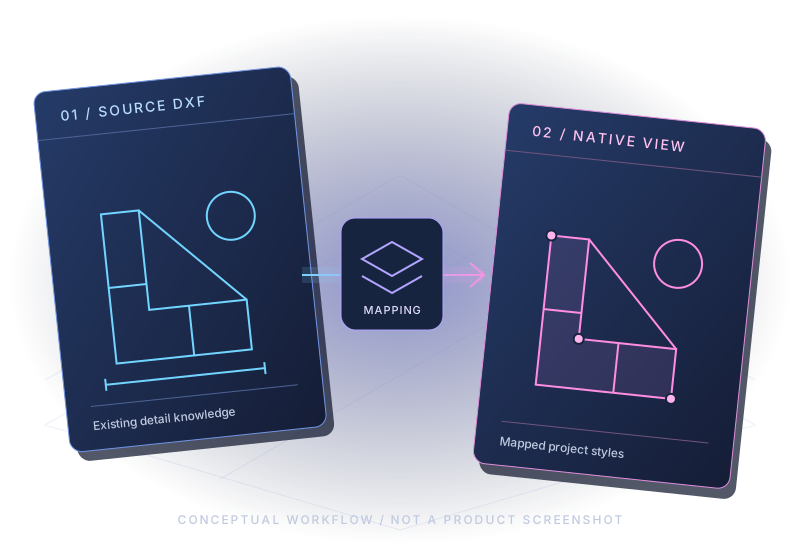
Codex converts CAD details saved as DXF into native Revit drafting views. It uses the line styles, text types and filled region types that already exist in your project, driven by an explicit layer mapping you control.
How it works
- Save the CAD detail as DXF. Codex reads DXF files.
- Create a mapping. In the Create Mapping dialog, map each DXF layer to one of your project's line styles, text types or filled region types. The mapping is explicit, so you decide how each layer converts.
- Preview. Before anything is created, Codex shows entity counts and skip diagnostics, so you can see what will convert and what will be skipped.
- Convert. Codex creates a native Revit drafting view. If some entities could not be converted, the result is clearly labeled “import complete with skips” and the diagnostics list what was skipped.
Processing is local. Your detail data is not uploaded.
What Codex converts today

Supported now
- Lines
- Arcs
- Straight, zero-width polylines
- Simple single-line TEXT
- Closed polylines to filled regions, only where the layer is mapped to a filled region type
Each converted element uses the line style, text type or filled region type mapped to its layer.

Not yet supported
- DWG files directly (save the detail as DXF first)
- Dimensions
- Hatches
- Blocks
- MTEXT (multi-line text)
- Circles
- Curved (bulged) polylines
- Splines
- Paper space
- Batch conversion
Coverage is expanding. The release notes list what each version supports.
Requirements
- Autodesk Revit 2025
- Windows
- Per-user installation
Other Revit versions are planned. Contact us about other Revit versions.
Why firms convert details to native drafting views
Consistent graphics
Converted details use your firm's line styles, text types and filled region types, so they match your standards.
Editable native elements
The result is a native Revit drafting view that your team can edit like any other.
Cleaner projects
Codex works with the types already in your project, rather than leaving behind the clutter of exploded CAD imports.
Repeatable mappings
An explicit layer mapping can be reused across projects, so the same CAD layers convert the same way each time.
Local processing
Details are processed on your workstation. Your detail data is not uploaded.
Wondering whether it is worth it for your team? Do the math for your firm on the pricing page.
Try Codex on your own details
Qualified firms can request a guided 14-day evaluation using a synthetic or non-production test project.